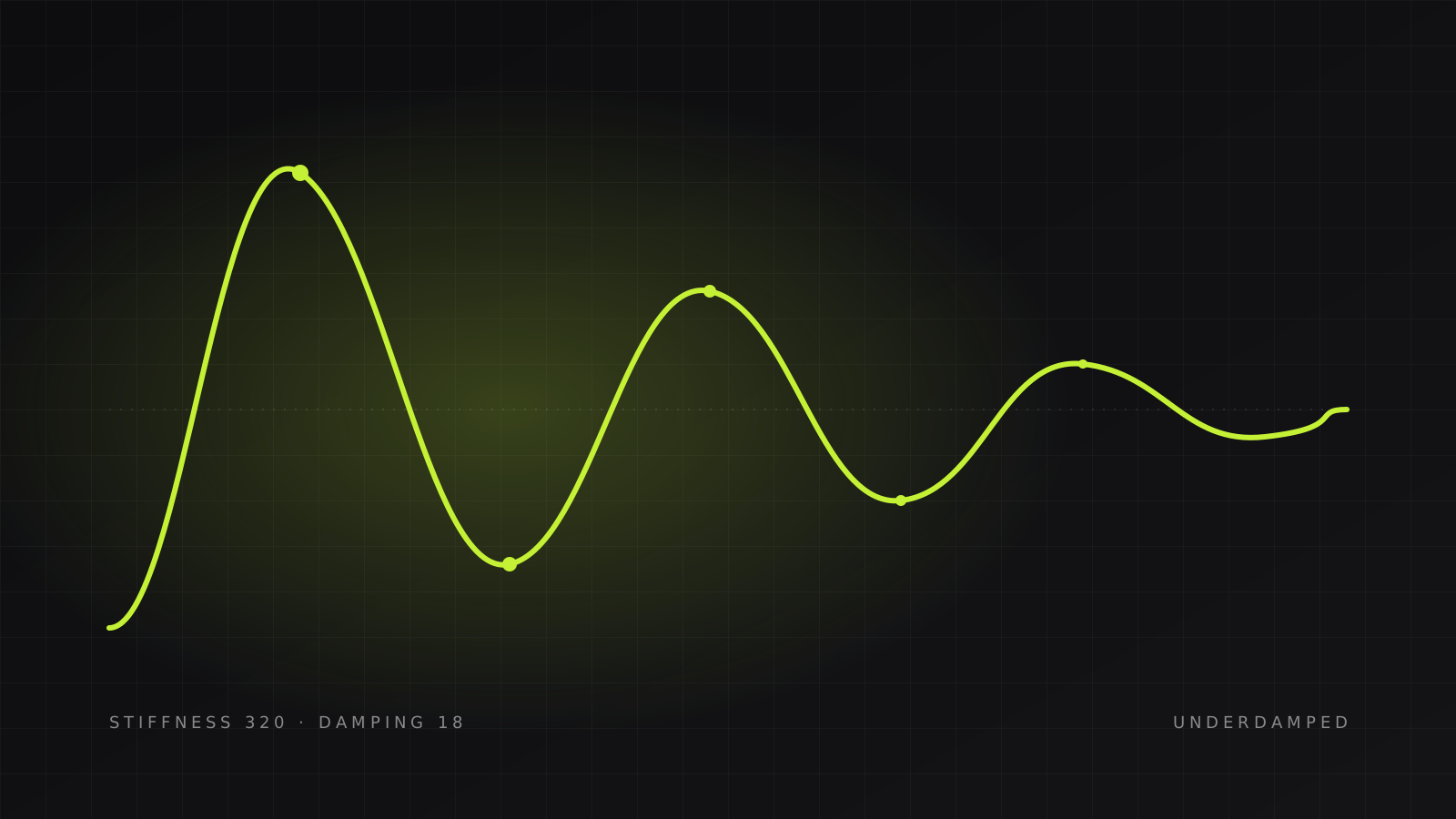
3 min read
Spring physics for UI motion, explained with Motion
Duration-based easing looks fine until something interrupts it. Springs don't have that problem. Here's the mental model, the two numbers that matter, and a live playground to build intuition.
Every animation you ship answers one question: how should this thing get from here to there? For years the default answer was a duration and an easing curve. 300ms ease-out. Ship it.
The trouble starts the moment something interrupts. A user taps a card mid-animation, or a menu closes before it finished opening. A duration-based animation has to either jump to the end or restart from scratch, and both look wrong. A spring just… keeps going. It has velocity, and the new target becomes the new resting point. That's the whole pitch.
The mental model#
Imagine the element is attached to its destination by a literal spring. Pull it away and let go. Two things determine what happens next:
- Stiffness is how strong the spring is. Higher stiffness snaps back faster.
- Damping is how much friction there is. Higher damping kills the bounce.
That's it. Mass exists too, but you'll rarely touch it — it's stiffness-in-disguise.
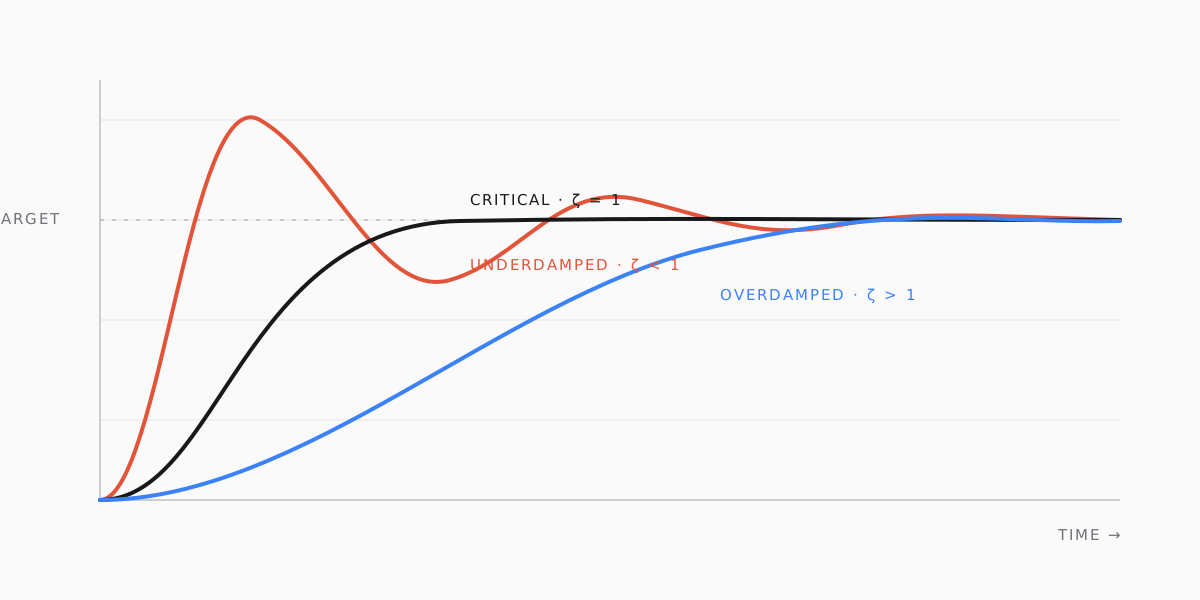
The ratio between the two is what your eye actually reads. Low damping relative to stiffness is underdamped — it overshoots and oscillates. Balanced is critically damped — fastest possible settle with no overshoot. Too much damping is overdamped — it eases in like it's tired.
Try it#
This is a live component rendered inside the post. Drag the sliders and hit replay. The code string underneath is exactly what you'd pass to Motion.
{ type: 'spring', stiffness: 320, damping: 18 }A few things to notice while you play:
- Around stiffness 300 / damping 30 the box arrives quickly and stops dead. That's roughly critically damped, and it's the workhorse setting for layout changes.
- Drop damping to 12 and it bounces. Great for something playful — a like button, a toast — and exhausting for anything the user sees a hundred times a day.
- Push stiffness to 1000 and damping to 60. Notice it still feels alive even though it's very fast. Springs at high stiffness don't look mechanical the way a
100ms lineartransition does.
The code#
In Motion, a spring is just a transition type:
'use client';

import { motion } from 'motion/react';

export function Card({ children }: { children: React.ReactNode }) {
  return (
    <motion.div
      whileHover={{ y: -4 }}
      transition={{
        type: 'spring',
        stiffness: 400,
        damping: 30,
      }}
      className="rounded-2xl border p-6">
      {children}
    </motion.div>
  );
}The highlighted lines are the entire physics configuration. Everything above them is ordinary React. Note there's no duration — the spring decides when it's done.
Interruptions for free#
Here's the case that sells springs. Hover in, hover out, hover in again, quickly:
<motion.button
  whileHover={{ scale: 1.04 }}
  whileTap={{ scale: 0.96 }}
  transition={{ type: 'spring', stiffness: 500, damping: 32 }}>
  Save
</motion.button>Each state change retargets the spring using its current velocity. There's no tween to cancel, so there's never a jump. With a duration-based transition you'd need to write that logic yourself, and you'd get it subtly wrong.
Presets worth memorising#
You don't need many. These four cover almost everything I ship:
| Use for | Stiffness | Damping | Feel |
|---|---|---|---|
| Layout shifts, sidebars, dialogs | 400 | 30 | Fast, no overshoot |
| Hover / press feedback | 500 | 32 | Snappy, barely-there bounce |
| Toasts, badges, playful confirmation | 300 | 14 | Visible overshoot, one bounce |
| Large hero elements on page load | 120 | 20 | Slow, weighty, settles softly |
If you find yourself needing mass, try lowering stiffness first. Nine times out of ten it's the same effect with fewer knobs.
When not to use a spring#
- Progress indicators. A spinner or progress bar should be linear. Physics on a loading state reads as a bug.
- Anything synchronised to audio or video. You want deterministic timing there.
- Colour changes. Springs on colour can overshoot into weird hues. Use a short tween.
Everything else — position, scale, opacity on things the user interacts with — defaults to a spring for me now. The difference is subtle in a screenshot and obvious in the hand.